

Solve difficult digital media situations with these timely resources.
As educators, we're always thinking ahead: next week's lesson plans, that upcoming standardized test, a unit's final assessment. And setting ourselves and our students up for success with frontloading and frameworks allows us to provide reminders about expectations instead of initial instruction. But sometimes situations come up that stop us in our tracks: a tantrum about devices, a student getting cyberbullied, kids passing around misinformation, upsetting current events, or a secret Google Doc group chat gone wrong. In these cases, we need effective interventions.
Often, when kids are little, there's some apologizing and perhaps a behavior reflection. When students are older, it's often all about consequences. But when it comes to digital literacy and well-being, there are some concrete, practical interventions that can not only repair relationships, but also help kids navigate situations more effectively in the future.
Below you'll find elements from our curriculum, framed as interventions. Of course, it's always best to teach the lessons first, with a focus on prevention, but when stuff goes down, there are strategies for all ages to try. Click on the links below to jump to a specific issue:
- Cyberbullying, Deepfakes & Digital Drama
- Disregard for Devices
- Disturbing News
- Managing Misinformation & Media Literacy
- Online Trends in the Classroom
- Overwhelm & Well-Being
- Privacy & Cybersecurity
- Tech Tantrums
Note: Lessons can often stretch up or down a grade level.
Cyberbullying, Deepfakes & Digital Drama
Digital drama and online harms can take many forms and span all ages. Though prevention via digital literacy and well-being instruction is the best way to create a school culture with shared language and expectations, incidents can still happen.
Step In, Step Out
Sometimes, when there's conflict, people need space and time to calm down. Use this technique when there are upset feelings between classmates:
- Step back to give the person space.
- Use a quiet voice when communicating.
- Wait until they're ready to talk.
- It's OK to ask for space if you need it.
Full lesson:
Step In, Step Out (Grade 1+)
Dealing with Online Meanness
Using the S.A.F.E. strategy, kids can learn how to self-regulate when upsetting things happen online.
- Stop and step away.
- Ask a trusted adult for help.
- Feel your feelings (but don't reply while upset).
- Ease back in.
Full lessons:
Dealing with Online Meanness (Grade 2+)
When Words Hurt Online (Grade 3+)
Sincere Apologies
Saying "sorry" isn't truly apologizing, and we've all heard kids say the word when they clearly don't mean it. Learning how to repair harm in a way that helps both the inflictor and the affected helps in the moment—and down the line.
- Be specific: Say exactly what you did wrong.
- Recognize feelings: Acknowledge the impact(s).
- Make a plan (promise to do better).
Full lesson:
Sincere Apologies (Grade 2+)
Need Space, or Time to Repair? Handling Online Hurt
As kids get older, they're more able to make decisions about what they need to self-regulate and address conflicts. Sometimes people need to calm down and reflect before discussing a situation. When everyone's ready to listen and respond calmly, they can move into the steps to repair the situation. The combined strategies below can help guide how they approach incidents.
Create Space | Repair the Situation |
Log off from the game or app. | Listen to how the other person feels. |
Put the device away. | Give a sincere apology if you did something to hurt them. |
Stop replying to messages. | Ask if there's a way to make things right. |
Take deep breaths and think. | Make a plan to do better next time. |
Full lesson:
Need Space or Repair? Handling Online Hurt (Grade 3+)
Is It Just a Joke?
Sometimes, people use "It was just a joke!" as a defense when they hurt someone's feelings. But humor is often subjective, and social queues can be confusing, especially when there's no tone of voice or body language to read. If feelings are hurt but that's drowned out by claims that it was all meant to be funny, encourage kids to reflect. Here are some reminders for kids when they run into a situation like this:
- Reminder: Jokes are meant to make everyone laugh.
- Use your humor compass and red flags:
- Did the joke bring joy to everyone?
- Are there ways the joke could be misunderstood?
- Are there ways the joke could hurt someone's feelings?
- Does the joke target a specific person or group?
- Did the joke involve editing pictures or video?
- Is it an "inside joke" that only some people can understand?
Full lesson:
Is It Just a Joke? (Grade 3+)
S.T.A.N.D. Up to Cyberbullying
When meanness happens online or in person, it can be hard to know what to do. If a student is struggling with a potential cyberbullying situation, others can take steps to be upstanders:
- Stay connected: Message the person being bullied so they don't feel alone, and include them in activities so they feel a sense of belonging, despite the bullying.
- Take time to listen: Ask how the person is feeling, and give your full attention and empathy, with no judgment.
- Alert trusted adults: Help your friend tell a parent, caregiver, teacher, etc. Keeping a friend safe is more important than keeping a secret.
- Note what happened: Save screenshots, and track when and where the bullying happens.
- Defend privacy: Never post, share, or forward the bullying messages. Help your friend adjust their privacy settings on games and social media.
Full lessons:
S.T.A.N.D. Up to Cyberbullying (Grade 4+)
S.T.A.N.D. Up to Support Others (Grade 5+)
S.T.A.N.D. Up to Support Friends (Grade 8+)
M.E.N.D.ing Friendships
Learning how to repair relationships after conflicts happen is a critical social and emotional skill. So when peers are in a fight, these are some steps to help kids resolve it.
- Message thoughtfully: Kids can ask themselves, "What's the best way to start this conversation? Is it better to talk in person or online?" And then they can invite someone to have a conversation without any self-defense or accusation.
- Express feelings: Share feelings with "I" statements, and listen carefully to how the other person feels. Don't accuse or diminish the other person's emotions.
- Name what went wrong: Be specific about what happened. Be clear about how your actions may have contributed to the situation.
- Decide next steps: What will you do to make things better? Make promises you can keep, and then keep them!
Full lessons:
M.E.N.D.ing Friendships (Grade 4+)
M.E.N.D. to Rebuild Trust (Grade 5+)
Making Things Right: Repairing Online Harms
Similar to M.E.N.D., these steps can help older kids make things right when there's a conflict.
- Recognize: Acknowledge what happened and why it was harmful. Understand how it affected others.
- Repair: Take responsibility for your actions, listen to those affected, and offer a sincere apology.
- Rebuild: Restore trust through actions, not just words. Show consistently better behavior in the future.
Full lesson:
Making Things Right: Repairing Harms (Grade 6+)
How to Re-A.C.T. to Cyberbullying or Deepfakes
When students themselves are the target of cyberbullying, they can take steps to seek help, stay connected, and avoid feeling alone in the situation. First, it's important for kids to practice recognizing when someone is trying to hurt or embarrass them. Those emotions are "red flag feelings." Then, students can use these steps:
- Ask for help from trusted adults: Trying to solve a cyberbullying situation alone is really tough. Reaching out to a parent, caregiver, teacher, or other adult can make the circumstances less isolating.
- Collect evidence and report: Instead of deleting messages, take screenshots or download them. Especially if safety is in question, it's super important to report threatening or harmful messages to the platforms or authorities. Note dates, times, and platforms where bullying is happening, as well as witnesses and patterns.
- Take care of yourself: Share your feelings, hang out with people who love you, do fun activities offline, and remember that you're not alone!
Full lesson:
How to Re-A.C.T. to Cyberbullying (Grade 7+)
Deepfakes & Consent (Grade 8+)
Group Chat Dynamics
Whether via text, WhatsApp, or Google Docs, group chats can get out of hand quickly. If you learn that a group chat has gone sideways and someone has their feelings hurt, here are some steps you can encourage kids to take:
- Check in privately: Kids can send a direct message to the person who was hurt by something said in the group chat.
- Speak up supportively: Students can help defuse the harm by responding in the chat itself in an upstanding, supportive way.
- Redirect positively: Change the subject to something encouraging or helpful.
Disregard for Devices
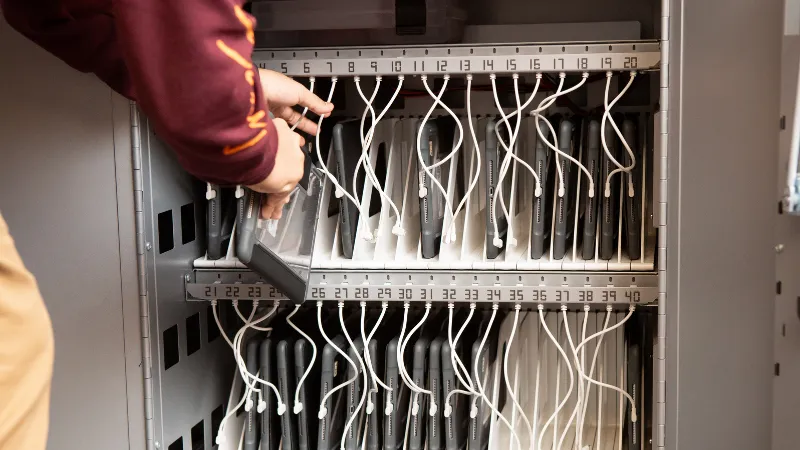
When you spot little kids mistreating classroom devices, you can use this memorable limerick to help them take care of their tech:
I'm learning to care for my device
I'm in need of some helpful advice
Keep the battery charged
Keep it safe and unharmed
I'll be responsible and super nice!
And here are some concrete tips you can invoke and post:
- Keep my device protected in a case.
- Charge my device when I'm done using it.
- Hold my device with two hands.
- Keep food and drink away from my device.
Full Lesson:
Caring for Our Devices (Grade K+)
Disturbing News
Despite our best efforts, kids sometimes encounter upsetting content online. Even on platforms like Roblox, students might see representations of current events within the games themselves! And algorithms can push hot topics—often about negative news—to kids on social media. If there are questions about the accuracy or bias of the information, you can use our information and media literacy lessons or interventions (below). Otherwise, here are some age-based tips to handle these situations:
- Talking with Kids About Shocking or Disturbing News
- Explaining the News to Our Kids (to pass along to families)
Managing Misinformation & Media Literacy
The sheer amount of information we encounter in a day is astonishing, and there's no doubt that some of it isn't factual. Not only that, but often the most enticing headlines, ads, messages, and offers contain privacy and security risks. So when we pass on false info or risky links, we become a part of the problem. If you're noticing a common thread of inaccurate info or a too-good-to-be-true offer spreading around school, it's time to intervene. Of course, giving students foundational habits, like pausing and thinking before taking actions online, helps prevent problems. But below are some strategies for in-the-moment intervention.
Finding the Source
When you get wind of misinformation making the rounds, you want to stop the spread and help kids find accurate info. Generally, unless little kids have unfiltered access to YouTube and social media, they won't be coming in with misinformation they found online. That said, it's highly likely they could hear it from an older friend or family member. In those cases, you can offer this guidance.
- Define "source": A source is like a window into a world of information. That window is the app, site, or post the info comes from. Different sources share info differently, and some windows are blurry and can confuse facts with opinions—or even stuff that isn't true at all!
- Identify the source: The window we're looking through is really important. We want a "clear" window with true information.
- Search for the info: Walk through the steps to find information and identify the source. How can we tell if this app, site, or post is from someone we can trust?
Full lesson:
Finding the Source (Grade 3+)
S.I.F.T. for Sources
As kids get older—and are online more often—they may start to see and spread iffy information. When students come to your classroom with questionable claims, you can take them through these steps:
- Stop and think: How do you feel about this claim? Does it seem true?
- Investigate the source: Who shared this? Why did they share this? When did they share this?
- Find more sources: What other sources could support or disprove this claim?
- Trace claims back to their origins: Where did this claim originally come from?
Full lesson:
S.I.F.T. for Sources (Grade 4+)
Stereotypes & Assumptions
If you're noticing kids making statements that stem from assumptions about others—or whole groups of people—it's possible those views could be coming from an online source. Of course, kids build their beliefs in many ways, but influencers can be a powerful force in how kids form their perspectives. You can step in with these simple questions to challenge stereotypes and assumptions:
- Evidence: What proof do I have that this is actually true?
- Experience: Do I know people who don't fit this stereotype?
- Feelings: How might someone feel when they hear this stereotype?
Full lessons:
Challenging Stereotypes (Grade 5+)
The Assumptions We Make (Grade 7+)
Spotting Media Influence
Kids come into class all abuzz about somebody or something they saw online. There's some type of persuasion afoot, and you sense an opportunity for some media literacy practice. If kids need convincing, you can tell them this practice helps them make better choices, protect themselves from scams, stay in control and be less easily manipulated, and be a better friend and digital citizen. Have students ask themselves these questions:
- Who's telling the story, and why?
- What's being included or left out?
- How is this trying to make me feel?
- Is this actually true?
Full lesson:
Spotting Media Influence (Grade 5+)
S.E.E.K.ing Information
When you're asking students to find information online, you may notice kids using AI summaries or only checking the top search result. Unless they've been taught to find credible information and know how to search effectively, they'll likely go for the lowest-hanging fruit. This is a great time to teach them how to look for and identify solid info:
Specify: Get specific with your questions and keywords so you can find the most relevant information.
Explore: Look at the sources that can best answer your question.
Evaluate: Check that your sources are reliable and accurate.
Keep track: Organize your notes, save helpful links, and cite your sources.
Full lesson:
S.E.E.K.ing Information (Grade 6+)
Telephone Trouble: Mis- & Disinformation
If a student realizes they've spread a rumor or something untrue, there are ways to make it right. Though the full lesson below can help prevent this issue, it can still happen. When it does, help kids through it with these steps:
- Delete and correct: Remove the incorrect information and post
a clear correction. - Be transparent: Explain that you shared something that wasn't accurate.
- Help others: Share the correct information with the same people who saw your original post.
- Remember: Taking responsibility for mistakes builds trust and stops the spread of false information.
Full lesson:
Telephone Trouble: Mis- & Disinformation (Grade 8+)
Online Trends in the Classroom
One morning you come in and notice that kids are making a certain sound, saying the same phrase, or recording each other doing something iffy. Almost certainly, an online trend has entered your classroom. When it's something harmless and not disruptive, you probably don't need to intervene. But when a trend excludes certain students (often when products or pranks are involved), takes over kids' attention, or is harmful in some way, then you can encourage students to understand their own behavior. It's also important to address the peer pressure that can contribute to online trends.
- Why do they want to participate?
- Who is encouraging the trend? Is someone making money from it, like a company or influencer?
- Do I really want to participate, or do I feel pressured?
- Can someone get hurt or in trouble by doing this trend? How and why?
- Why might school not be the right place for this trend?
Full lessons:
Trending Now! (Grade 3+)
Understanding Influencers (Grade 4+)
Peer Pressure Online (Grade 4+)
Under Peer Pressure (Grade 6+)
Overwhelm & Well-Being
In our always-on world, it's easy for kids to get overwhelmed and feel like they're not "keeping up" in some way. Social media can compound these pressures, especially if kids are following influencers who recommend certain diets, routines, self-improvement plans, etc. Even if they aren't, social comparisons—sometimes just with peers—can turn a casual phone pickup into a full doomscroll. Below are some ways kids can pause and evaluate their media balance, well-being, and negative thought patterns.
Device Distractions
Part of forming healthy habits around media balance is using tech thoughtfully and deliberately, not compulsively. Those compulsions are often caused by design tricks created to keep our attention.
For little kids, you can use this song:
Overwhelmed with device distraction
I breathe and think, what's my reaction?
Apps and games get my clicks
But I know some good tricks
Getting focused is the right action!
For middle grade students, you can use these practical steps:
- Physical distance: Keep devices out of reach when you need to focus.
- Silence notifications: Turn off sounds and alerts during learning time (including homework).
- Attention reset: If you get distracted, take a deep breath, look away from your screen for 30 seconds, then return to your task.
Full lessons:
Managing Device Distractions (Grade 1+)
Outsmarting Attention Thieves (Grade 3+)
Practicing Media Balance
Periodically, it's helpful for all of us to reflect on how media and tech are impacting us and aligning with our values and well-being. You can use the activities and lessons below to do regular check-ins and help kids build that habit for themselves.
Little kids can use these guidelines for their reflection:
- Media choices matter: What, when, and how much media and tech am I using?
- Are my choices good for my mind and body?
- Do my choices prevent eye strain and headaches?
- Do my choices prioritize sleep and physical activity?
Older students can evaluate their habits using our Tech Habit Challenges, which come in two parts. Of course, we recommend teaching the lessons before using the activities, but once students know the routine, you can use them as periodic interventions, too:
- My Tech Habits & Tech Habit Challenge (Grade 6)
- Tech Habits Interview & Tech Habit Challenge (Grade 8)
Full lessons:
Building Healthy Tech Habits: Part 1 & Part 2 (Grade 6+)
Tech Habit Challenge: Part 1 & Part 2 (Grade 8)
Thinking Traps
When students report that media and tech lead to negative thought spirals, they're experiencing thinking traps. Like with the Tech Habit Challenges above, the full lesson is foundational, but once kids understand the concepts, they can practice identifying when they're caught up in a thinking trap and what kind it is. Naming what's happening helps give kids some distance from the experience and recognize that they're just encountering thoughts, not facts. They can also apply this practice to other circumstances in their lives.
The card set from the Brain Battle Game lesson introduces each thinking trap and the alternative thought that can bring their feelings back into balance. There's even a template so kids can design their own!
Full lessons:
Spotting Thinking Traps (Grade 4+)
Brain Battle Game (Grade 4+)
Thinking Traps (Grade 7+)
Values & Tech
When there's an incident, or as a regular practice, it's helpful to reflect on how our media and tech use aligns with the person we want to be. Once you've done the full lesson, you can use this activity as an intervention to invite students to consider their actions in relation to their values.
- Look at the range of values provided within the lesson (and invite students to add their own).
- Have students reflect on whether their media and tech use—especially as part of an incident—supports or detracts from their values.
Full lesson:
Tech & Values (Grade 7+)
Hustle Culture
Especially as kids reach high school, they may start feeling pressure to figure out what they're doing with their future and how they measure up against their peers. Media and tech can reinforce these pressures exponentially. If students are experiencing the burnout that can come with this stage of life, you can suggest some self-care practices:
- Physical: Time outside in nature, sleep, and exercise.
- Social: Deep, meaningful conversations and helping others.
- Psychological Flow: Doing something fun, relaxing, and/or creative.
And then they can ask themselves these questions:
- What self-care practices are part of my routine? Why?
- What gets in the way of doing self-care?
- Is there anything missing you'd like to add to your routine?
Full lesson:
Grind Culture: Pressures and Self-Care (Grades 9–12)
Privacy & Cybersecurity
Many adults know this to be true: If a link offers free Robux, kids will click on it. That's just one small example of how even young kids can fall victim to scams and cybersecurity attacks. Similarly, it's easy for kids and teens to overshare in public profiles or posts, which can make them a target. The best intervention in these cases is prevention: teaching kids to avoid situations in which their information or safety is compromised by pausing and thinking before taking any action, like clicking. But we know it doesn't always happen because of our own actions. Here are some concrete steps that kids can take when their online privacy and safety is in question:
Data Breach Basics
- Tell a trusted adult if something seems weird online.
- Change passwords, and use different passwords for different accounts.
- Don't click on strange links or "too good to be true" offers. If you already did so, don't give any more information or sign up for anything!
Full lesson:
Tech Tantrums
Telling kids to stop using devices often leads to conflicts. If we're honest, it's often hard for all of us to stop—and that's by design. So helping little kids learn cues and healthy habits can stop those troubles in their tracks. Modeling how to choose a reasonable stopping place (e.g., three rounds, levels, or videos) before they start using a device can make the routine feel more logical than a timer, which can feel arbitrary to kids who don't yet understand time. You can even put devices "down for a nap" in a designated place.
Learning this routine ahead of time is ideal, but if you use it consistently as an intervention, it's likely to stick. So use these three simple steps to help kids regulate when it's time to stop:
- Pause.
- Breathe.
- Finish up.
Full Lesson:
Saying Goodbye to Tech (Grade K+)