

Help kids practice smart internet habits and stay safe online.

Educators' approach to internet safety in the classroom has changed as technology and our use of it continues to evolve. In the past, digital citizenship lessons on internet safety focused more on dos and don'ts, like do create safe passwords and don't talk to strangers online. While secure passwords are certainly important for technology users of all ages, and stranger danger is nothing to take lightly, most internet safety challenges are much more nuanced.
The best internet safety lessons recognize the complexity of these topics and help students build the critical-thinking skills and habits of mind to navigate the dilemmas they encounter. Below are the best internet safety lesson plans for students in grades K–12. See the full Common Sense Digital Literacy and Well-Being Curriculum for lesson plans on additional digital citizenship topics.
Kindergarten Internet Safety Lesson Plans
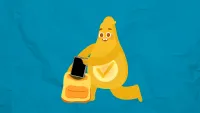
How can I take care of my device?
Whether students are getting their first device or are seasoned digital citizens, it's always a good idea to remind them about how to keep those devices safe and functioning.
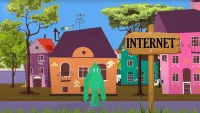
How can we go places safely online?
The power of the internet allows students to experience places they might not be able to see in person. But, just like traveling across the globe, it's important to be safe when traveling online. On this virtual field trip, kids can practice staying safe when they're adventuring online.
First Grade Internet Safety Lesson Plans
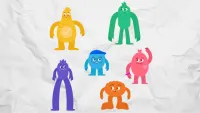
How can we be safe, responsible, and respectful online?
From our head down to our toes, and our feet up to our nose, the Digital Citizens teach students how to be safe, responsible, and respectful online.
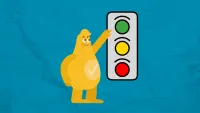
How do you stay safe on websites and apps?
Staying safe online is a lot like staying safe on the street. Using a fun traffic light activity, students learn to identify content that is "just right," giving them the green light to learn, play, and explore the internet safely.
Second Grade Internet Safety Lesson Plans
How can I keep my online accounts safe?
Help students learn what online accounts are and why it's important to keep usernames and passwords private. Through familiar examples from school apps and learning tools, students discover why protecting their accounts keeps their work and information safe from others.
What kinds of information should I keep to myself when using the internet?
Staying safe online is a lot like staying safe in the physical world. Through a game of Privacy Bingo, students learn about the kinds of information they should keep to themselves when they're online—just as they would with a stranger in person.
Third Grade Internet Safety Lesson Plans
How do we keep our online accounts safe?
Online accounts are important for keeping our information safe online. Kids will understand the difference between usernames and passwords, explore what makes them strong or weak, and practice identifying good examples through stories.
How do we stay safe online?
Just like the doors in our homes keep us safe by letting us decide who comes in, students need "privacy doors" to protect their information online. Through playful knock-knock jokes, this lesson helps students understand when it's safe to share information
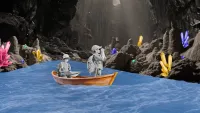
How can we stay safe and protect our privacy when playing online games?
As online gaming worlds like Roblox, Minecraft, and Fortnite become central to students' social lives, knowing how to protect personal information is crucial. Students learn about creating usernames that shield their identity, recognizing what information should never be shared in game chats, and identifying when to involve trusted adults.
Fourth Grade Internet Safety Lesson Plans
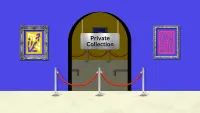
What is personally identifiable information, and how can I protect it?
In a world where kids share everything from lunch photos to dance moves online, knowing what information to keep private is a digital superpower! This lesson helps students identify personal information, understand how it travels across the internet, and discover smart strategies to protect their digital identity.
When should I be cautious about sharing personal information online?
Online privacy isn't always black-and-white. Students need to develop critical-thinking skills to recognize risky situations and protect their personal information. They'll learn to evaluate privacy risks in different online scenarios, and develop strategies to stay safe when communicating online.
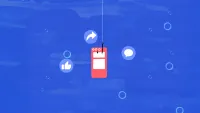
What is phishing, and how can you protect yourself from it?
Students will learn all about the online scam called "phishing," including how to protect their personal information. Through a video and an interactive "Go Phish" game, they'll learn to recognize common scam tactics and practice strategies to avoid getting hooked.
Fifth Grade Internet Safety Lesson Plans
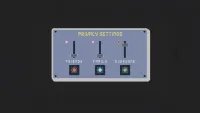
What is tracking data, and how can you control your privacy settings?
Every click, search, and app interaction leaves digital breadcrumbs that companies collect to build profiles of who we are and what we want. Students will understand how tracking data works and examine common app permissions, learning to ask the critical question: "Does this app really need this information to do its job?"
How can we identify and respond to online risks?
Help students recognize the subtle and obvious signals of online risks, teaching them to recognize their red flag feelings and protect their personal information. This lesson helps students develop practical strategies for navigating digital spaces with confidence and awareness.
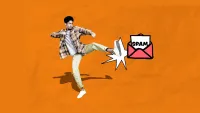
What is clickbait, and how can we avoid it?
Students discover how apps and websites create "curiosity gaps" that encourage the brain to crave answers, and they learn smart ways to decide what's actually worth clicking. Help students spot when their curiosity is being used against them so they can make better choices about where they spend their attention online.
Sixth Grade Internet Safety Lesson Plans
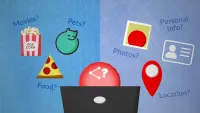
How can I think critically about sharing personal information online?
Students will learn and apply a practical framework for making smart decisions about their personally identifiable information (PII) to help protect their privacy and safety online.
How can you protect your privacy when setting up an account?
Help students recognize what personal information should and shouldn't be shared online, understand how apps and websites track user activity, and develop strategies for protecting their privacy online.
What are the potential impacts of impersonation and identity theft?
Students become digital detectives, investigating how identity thieves operate and the ripple effects of impersonation. Through hands-on analysis of evidence, students discover practical strategies to safeguard their personal information while developing critical thinking skills that help them distinguish between authentic and suspicious online interactions.
Seventh Grade Internet Safety Lesson Plans
Why is our data valuable to companies?
Students weigh privacy concerns against benefits, developing the critical decision-making skills essential for navigating today's data economy. Empower students to make informed choices about when it's worth the convenience to share their digital information—and when it might cost more than they realize.
How can I manage the data that companies collect about me?
Students will discover the surprising extent of data collection and learn practical strategies to manage data sharing with companies and regain control.
How does location sharing impact our privacy?
Privacy is a building block of self-expression, healthy relationships, and safety. In this lesson, students use the real-life issue of location sharing to discuss how the decisions we make about what we share online—and with whom—impact our safety and well-being.
Eighth Grade Internet Safety Lesson Plans
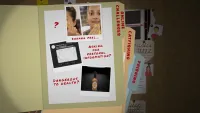
How can we protect ourselves from social engineering and online deception?
Help students recognize social engineering tactics, identify red flag feelings, and apply their knowledge to a scenario so they can be more prepared to spot online deception and protect their personal information in the future.
How can we protect our digital identities when security threats occur?
Through collaborative problem-solving, students will learn to spot warning signs of compromised accounts, understand the difference between targeted hacks and larger data breaches, and develop practical response strategies when security incidents happen.
What are the benefits and risks of facial recognition?
Facial recognition is one of the many applications of AI technology. Like other technologies, facial recognition offers both opportunities to improve our lives and potential risks. Use this dilemma and thinking routine to help students consider the benefits and drawbacks of facial recognition.
Ninth–Twelfth Grade Internet Safety Lessons
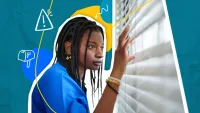
How does your PII create a risk for doxxing, and what can you do about it?
Most students don't think twice about what they post, tag, or search for, but someone else might be paying close attention. Doxxing isn't just something that happens to celebrities or public figures. It's a real risk, powered by the everyday personally identifiable information (PII) that students share without realizing it.
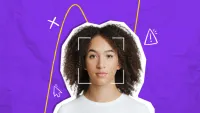
How can deepfakes cause harm, and why do they violate consent?
AI tools can create images, audio, and video so realistic they're nearly impossible to detect as fake. In this lesson, students explore why using someone's likeness without their permission violates consent, and why the harm is real even when the image isn't.
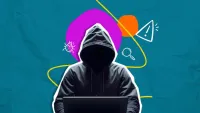
Why does social engineering work on anyone, and what can you do about it?
Social engineering doesn't start by hacking technology. It starts by hacking trust. In this lesson, students work through real-world scenarios—a fake account alert, a cloned voice on the phone, a job offer that's too good to be true—to figure out the logic behind each scam. They'll also learn to identify the emotion it targets, spot the red flag feeling it triggers, and think about what they'd check before acting.
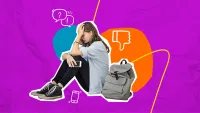
When something's wrong online, how do you decide the best way to step in?
Stepping in when you see something harmful online is harder than it sounds—and the instinct to help doesn't guarantee you'll provide the right kind of aid. This lesson has students analyze real online conflicts to figure out how to help resolve them and which response actually fits the situation, including when the smartest move isn't going public at all.
Why is it easier to cross a line online than in person?
Most of us can spot obvious cyberbullying. The harder part is the gray area—the post that feels like a joke to the person making it and lands as something else entirely on the person it's about. In this lesson, students sort a set of everyday online behaviors by how harmful they are, discover they might not be able to easily agree, and dig into why. They come away understanding how online disinhibition makes it easy to cross a line without noticing, especially when the person on the other end isn't in front of you.